- Welcome to Launch X431 Store
- WhatsApp: 8613421344069


If your Launch X431 tablet displays “Function inactive or expired” when connecting to a SmartLink C VCI, the issue is usually not a hardware fault. In most cases, the device has mistakenly entered the Super Remote Diagnosis interface, which requires a paid activation card to use.
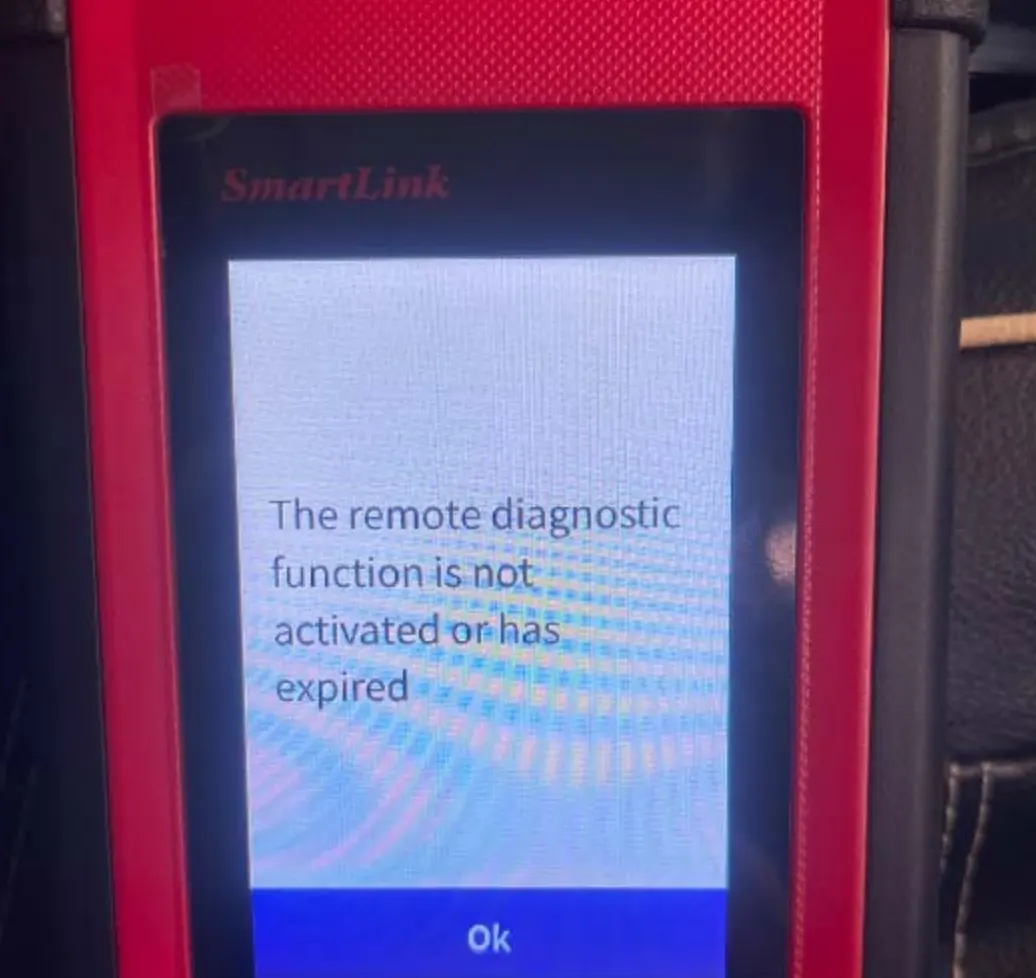
The SmartLink C V2.0 supports two diagnostic paths: Local Diagnose and Super Remote Diagnosis. When the VCI is connected to the internet and the user enters the Super Remote mode, the system checks for a valid activation license. Without one, it blocks access and shows the “inactive or expired” message. This catches many technicians off guard, especially those who only need standard local diagnostic functions.
If you do not need remote expert assistance, simply disconnect the SmartLink C from the network and go directly to Local Diagnose mode on your X431 tablet. Only the tablet itself needs an internet connection for normal diagnostic operations. This is the fastest fix for users who just want to run standard scans, read codes, and perform service functions.
If you do require remote diagnostic support from an expert, you must purchase a Launch Remote Diagnosis Annual Activation Card or a renewal times card before the Super Remote function becomes available. Once activated, connect the SmartLink C to the vehicle’s OBD port, enter Remote Diagnostic Mode, and share the generated 6-digit key with your expert to establish the connection.
Super Remote Diagnosis is restricted in certain regions, including the USA, Canada, Mexico, Australia, Brazil, and Japan. Users in these areas should verify regional availability before purchasing an activation card. The first-time activation card typically includes 3 free uses valid for one year.

![[EU/UK Version] LAUNCH X431 PRO3 APEX Diagnostic Scanner Support Topology Map Online Coding CAN FD & DoIP HD Truck Scan with 37+Services](https://obd-1317370369.cos.accelerate.myqcloud.com/2025/24071017206802678579-450x450.jpg)